This text function is similar to Excel Text to Columns wizard. Instead of entering your criteria by stepping through various panels , you use the Excel formula bar. It works best when you have a consistent row delimiter such as a space or comma.
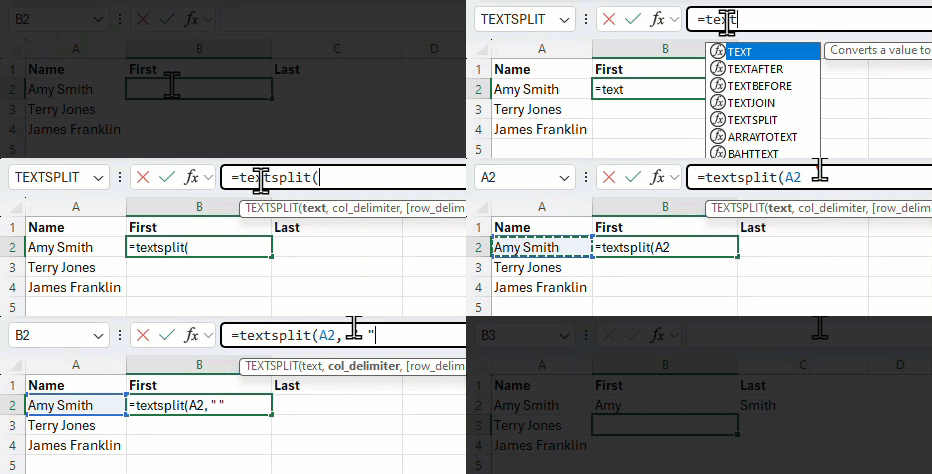
In the animation below, I’m separating the name Amy Smith into first and last values by splitting on the space between. The A2 refers to the cell containing the text to split. The ” “ represents the value to look for when splitting. In the case below, I’m looking for a space.
The function is available in Excel for Microsoft 365 and Excel for the web.